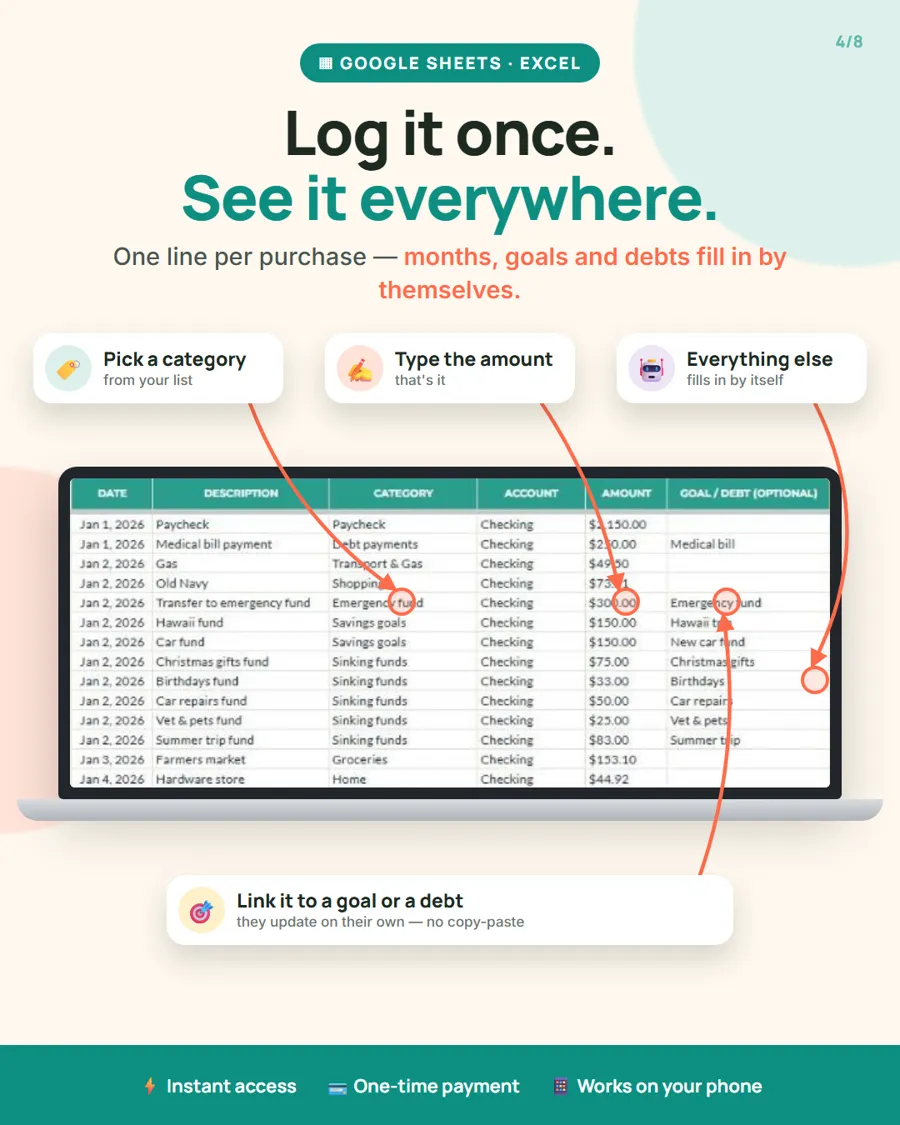
1Transactions — log it once
One simple list for every paycheck and purchase. Pick a category and an account, and the rest of the bundle fills itself in.
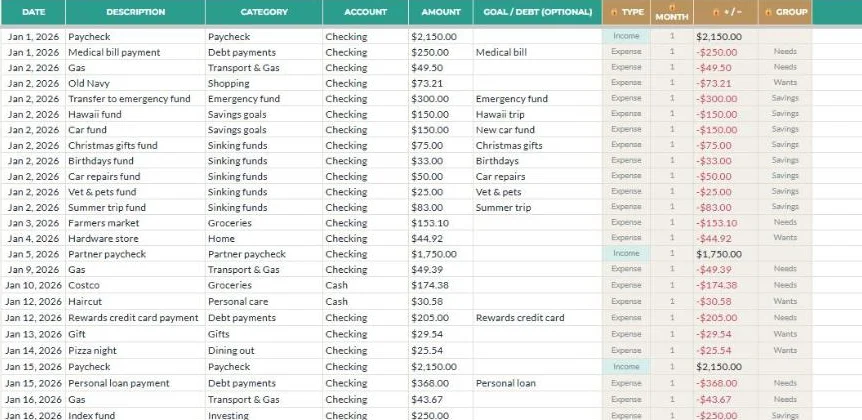
One list for the whole yearCategory drop-downsPick the accountLink to a goal or a debtNeeds · Wants · Savings — automaticFeeds all 12 months
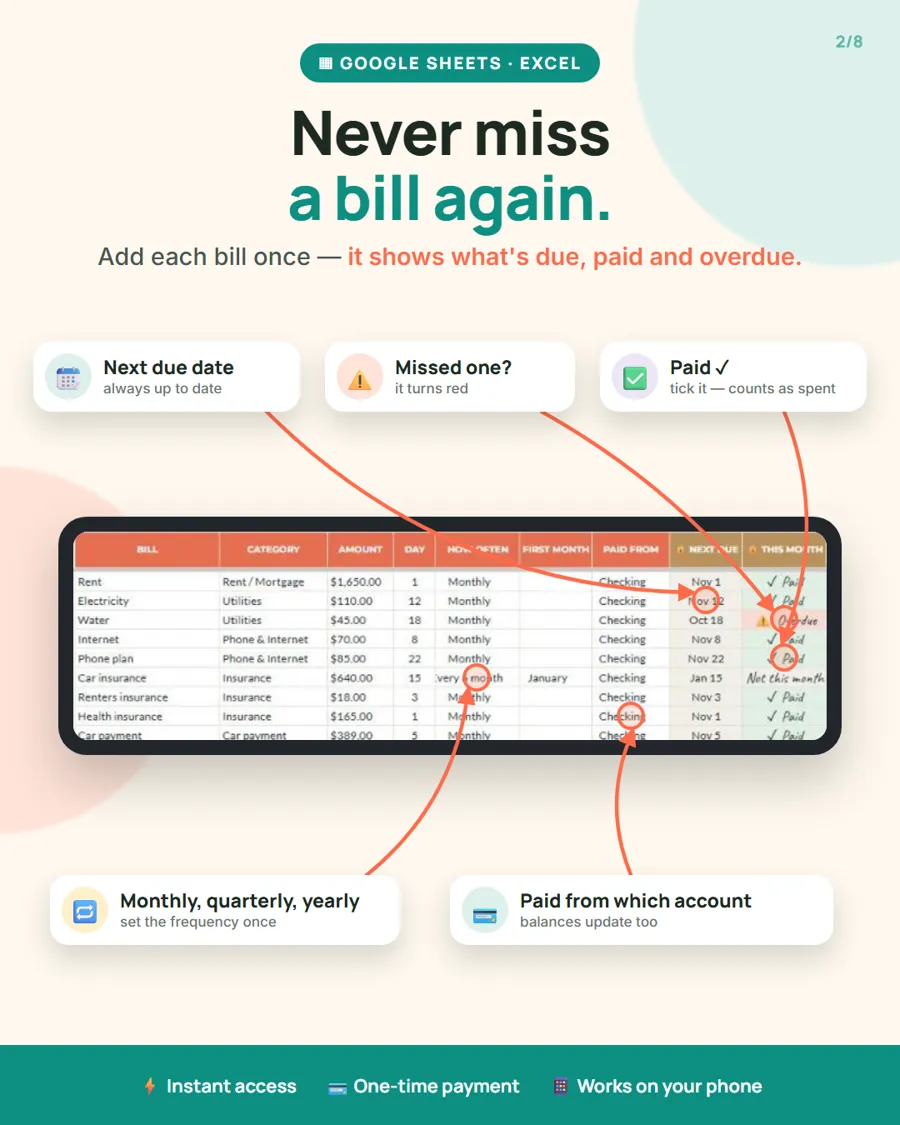
2Bills & subscriptions
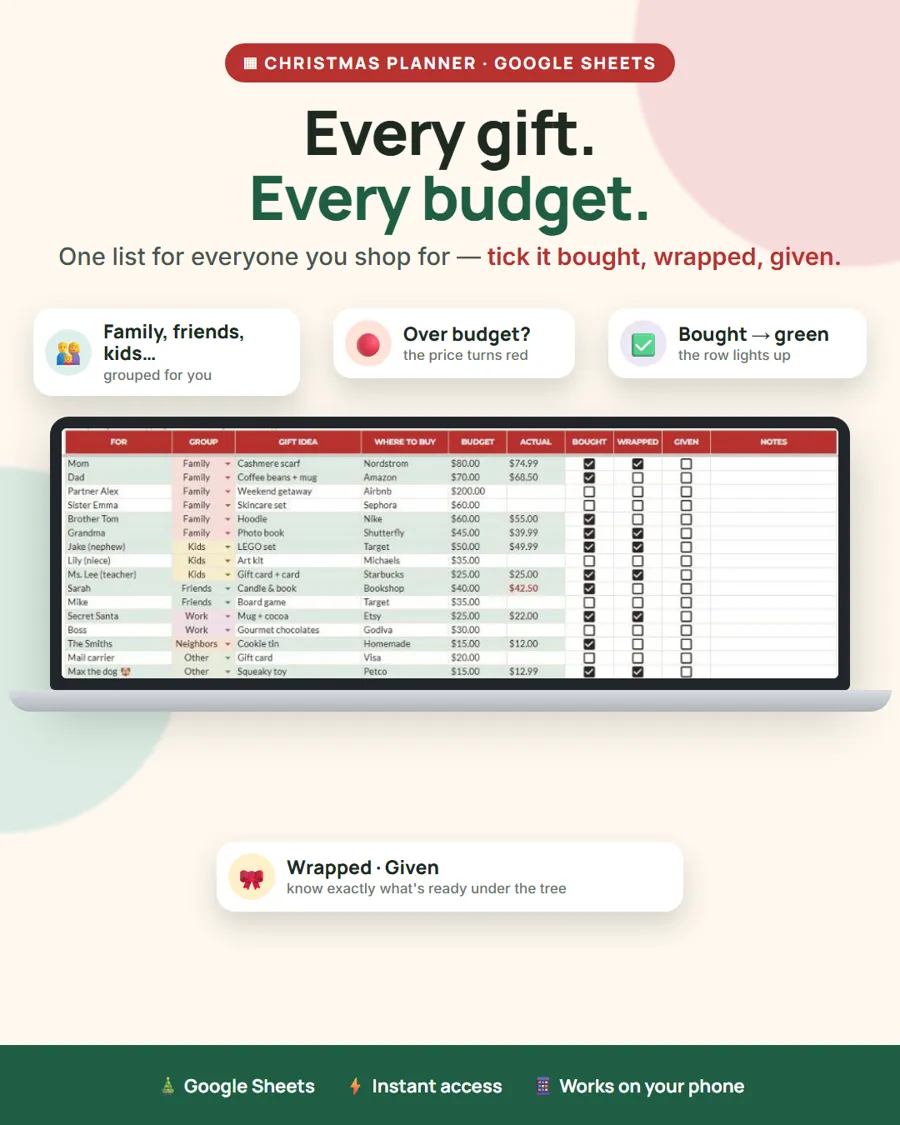
Add every bill once with its due day and how often it comes. Tick it when it's paid — it counts as spent right away.

Up to 40 billsMonthly, quarterly, every 6 months, yearlyNext due datePaid · Overdue · Not this monthTick = counts as spentPaid-from account
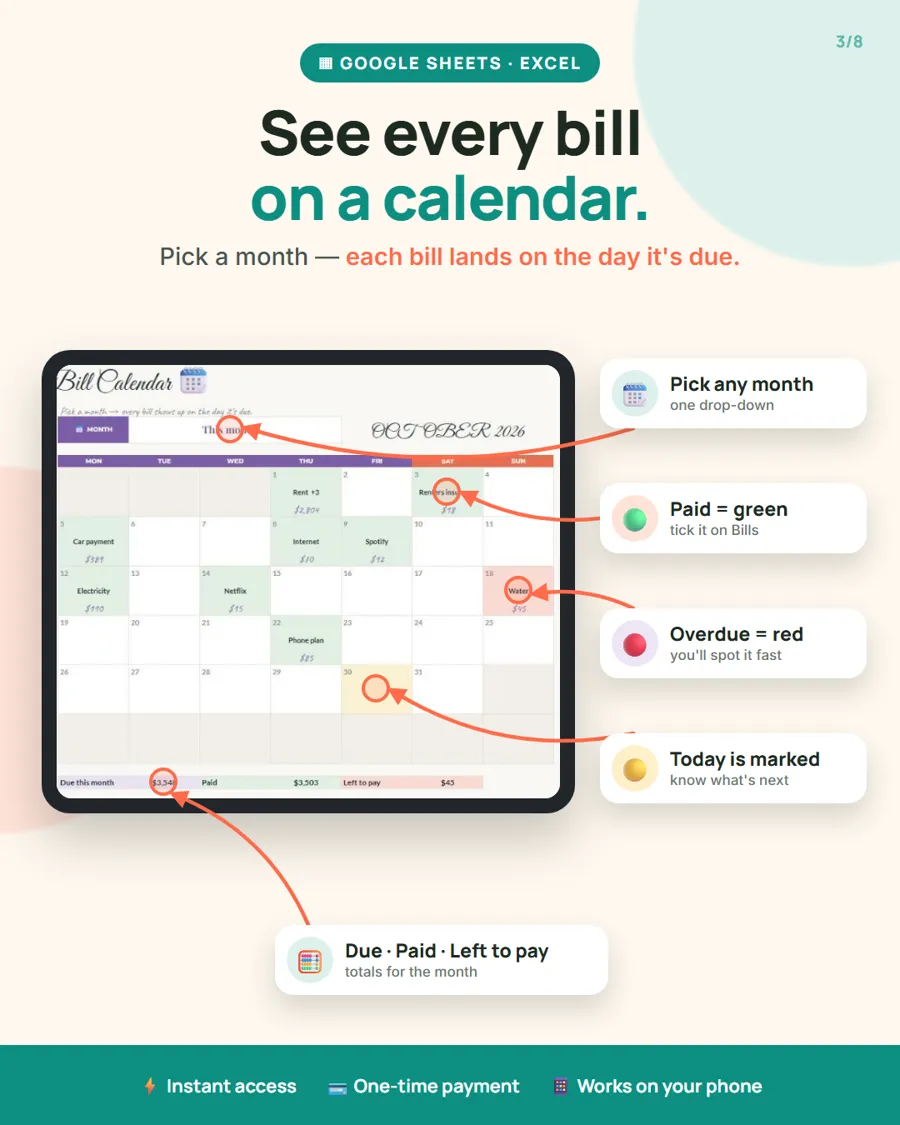
3Bill calendar
Pick any month and see every bill on the day it's due — colour-coded so nothing sneaks up on you.
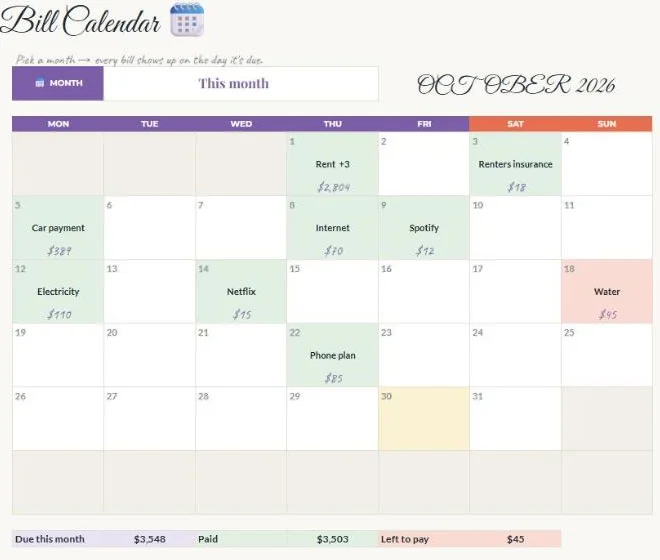
Any monthBills on their due dayGreen = paid, red = overdueToday highlightedDue · Paid · Left to pay
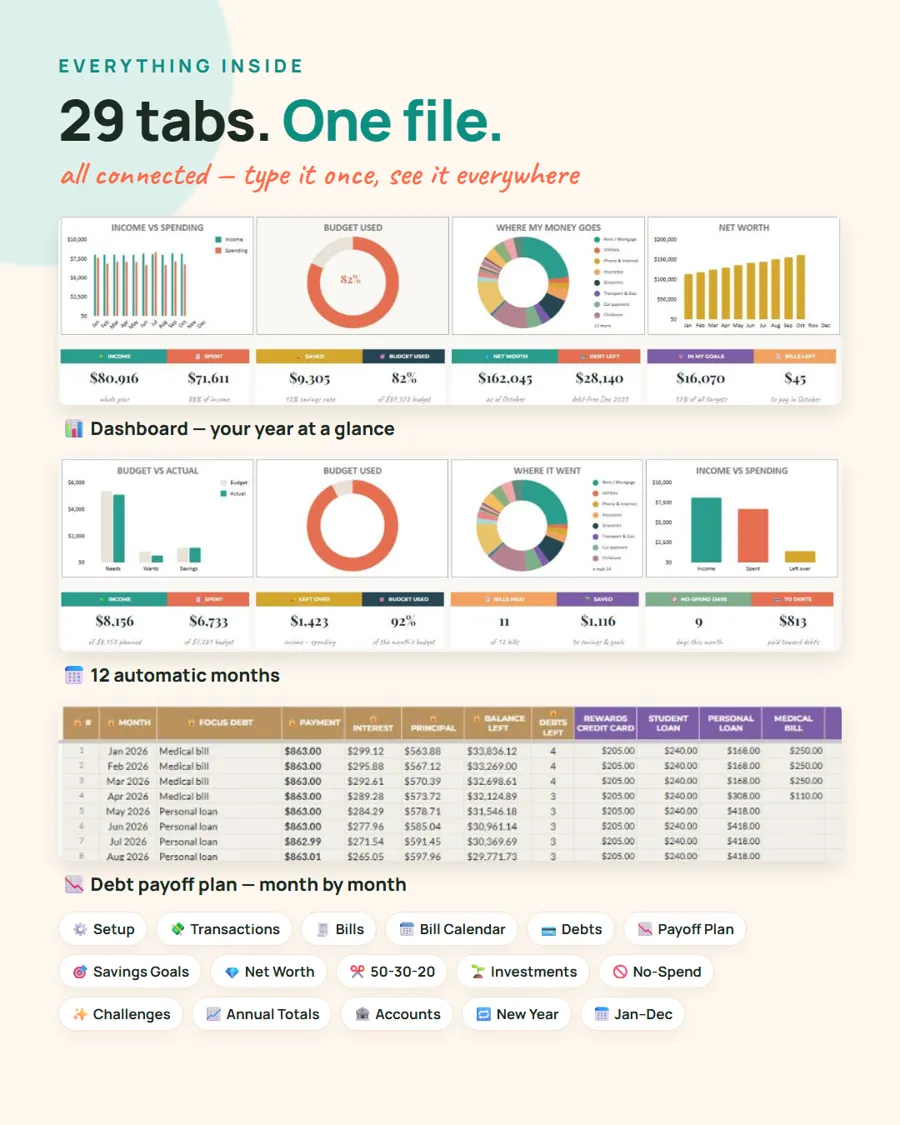
412 automatic monthly budgets
Each month builds itself from your transactions and ticked bills: budget vs actual, where it went, what's left.
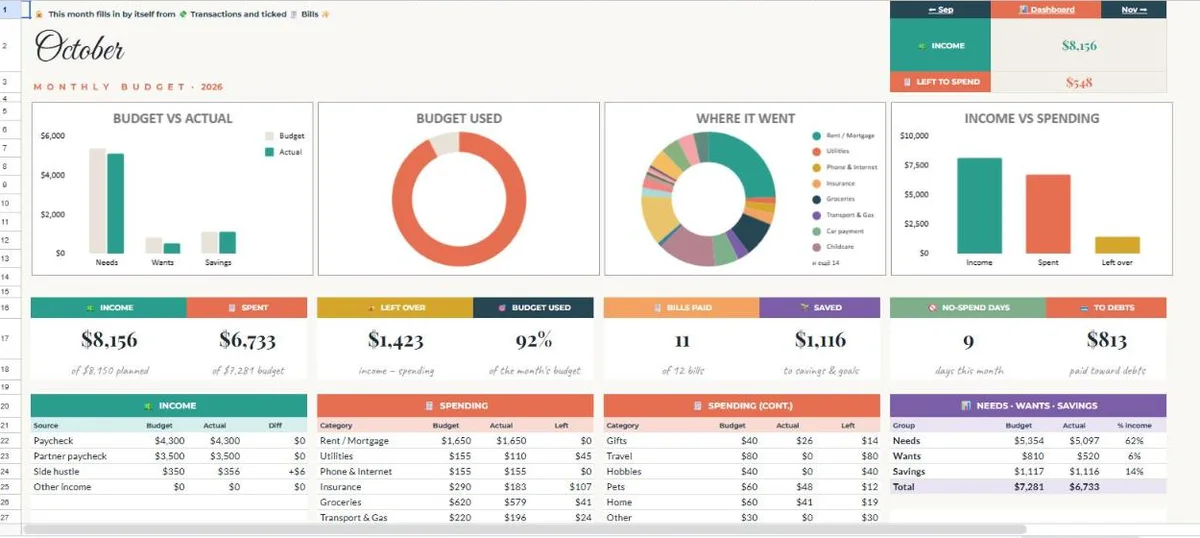
Budget vs actualWhere it went chartLeft to spendBills paid & no-spend days← Prev · Next → buttonsStart any month
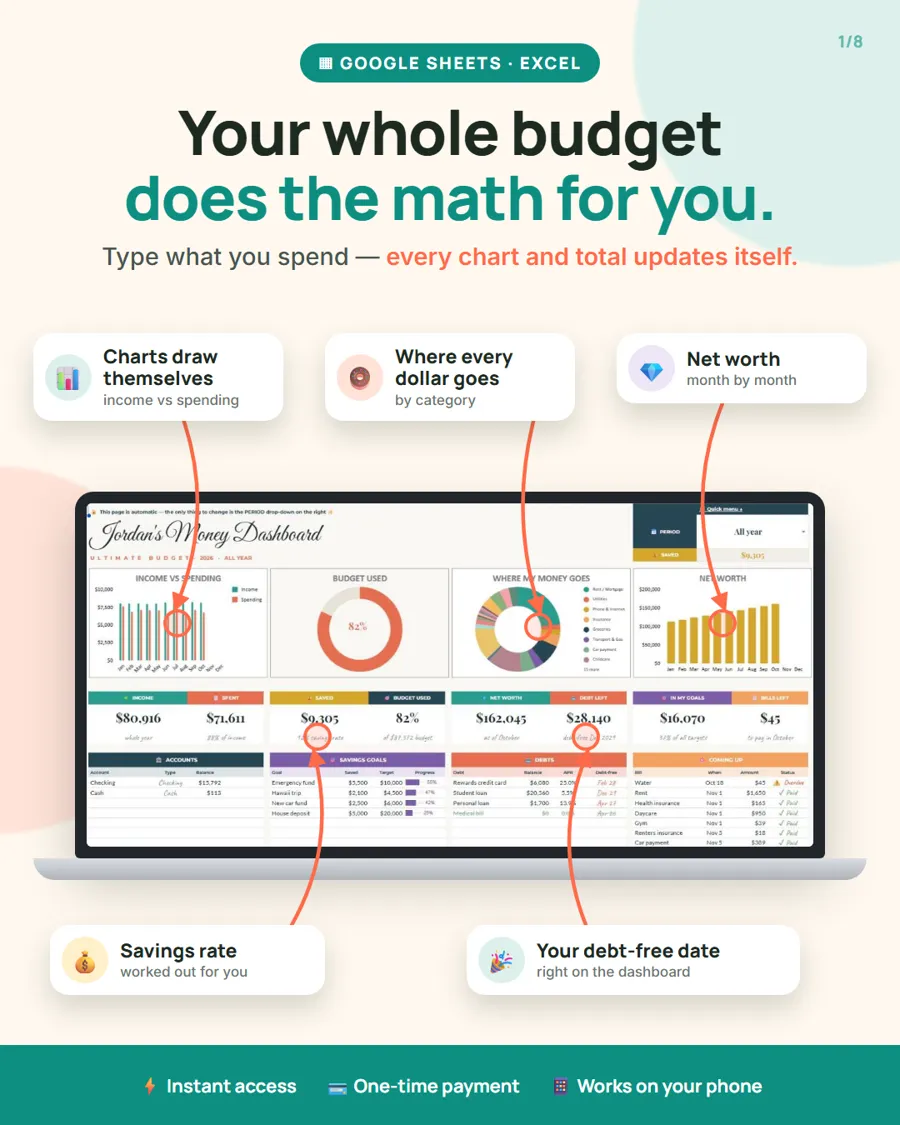
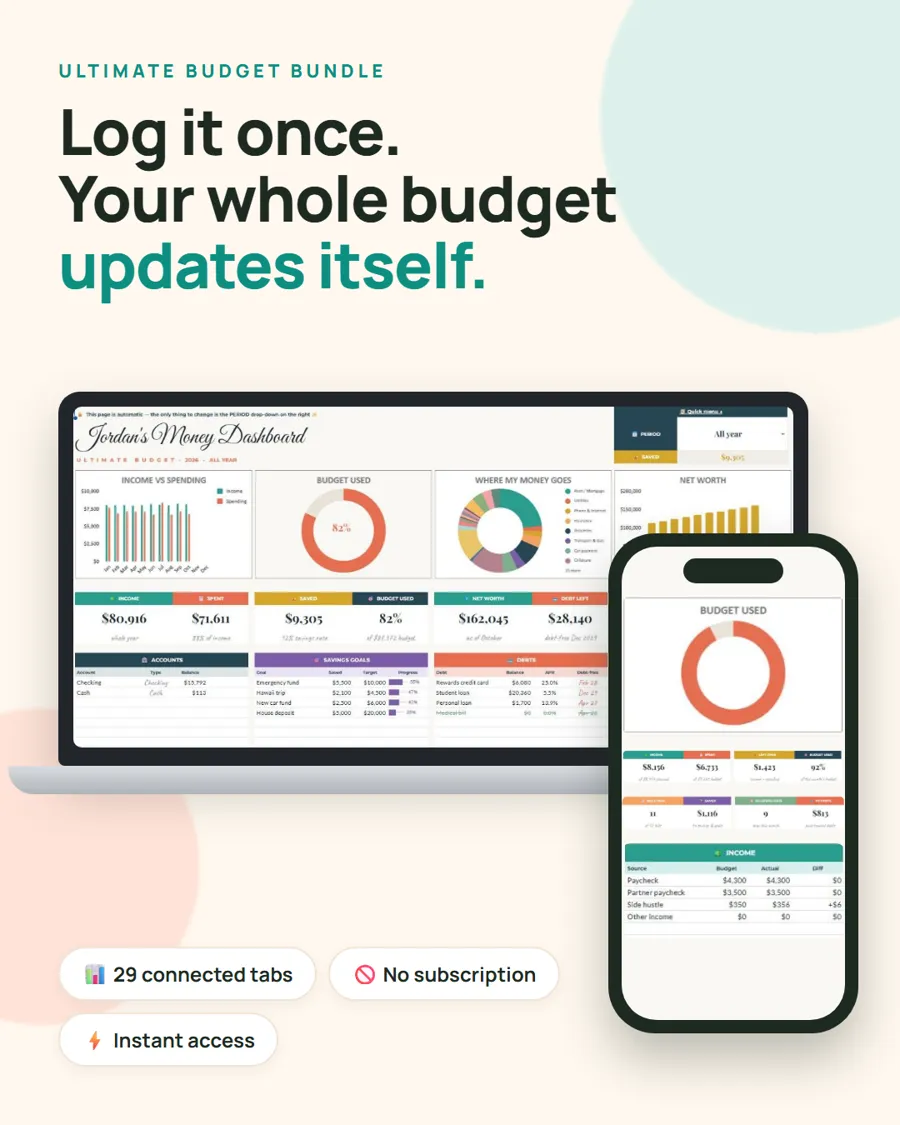
5Dashboard — your year at a glance
Pick the whole year or one month. Income, spending, savings, net worth, debts, goals and coming-up bills on one page.
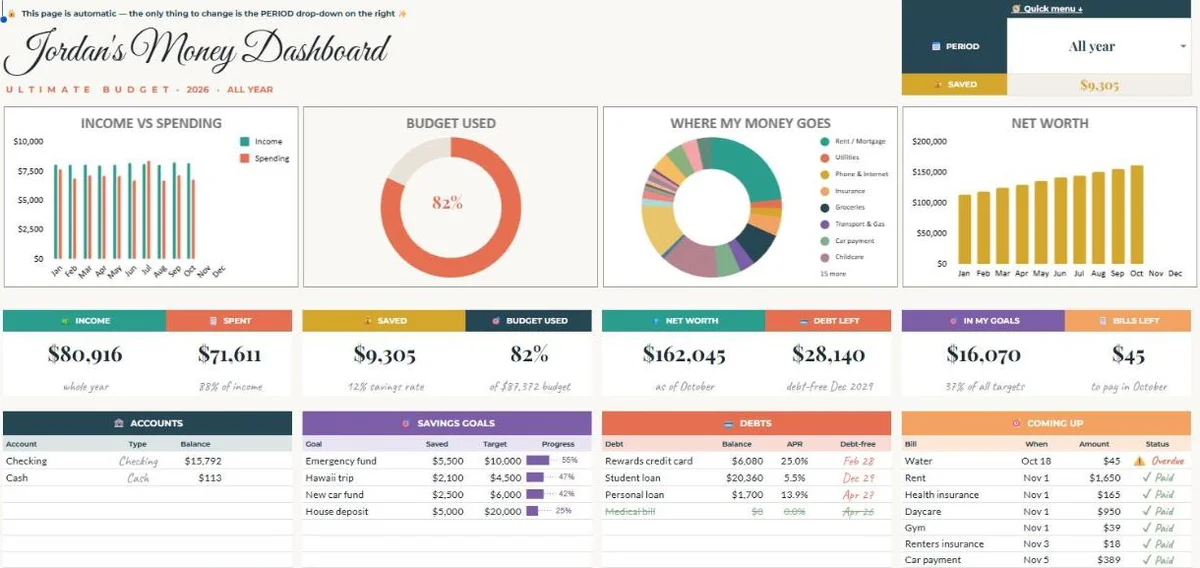
Whole year or one monthIncome vs spendingBudget used ringWhere my money goesNet worth chartComing-up bills
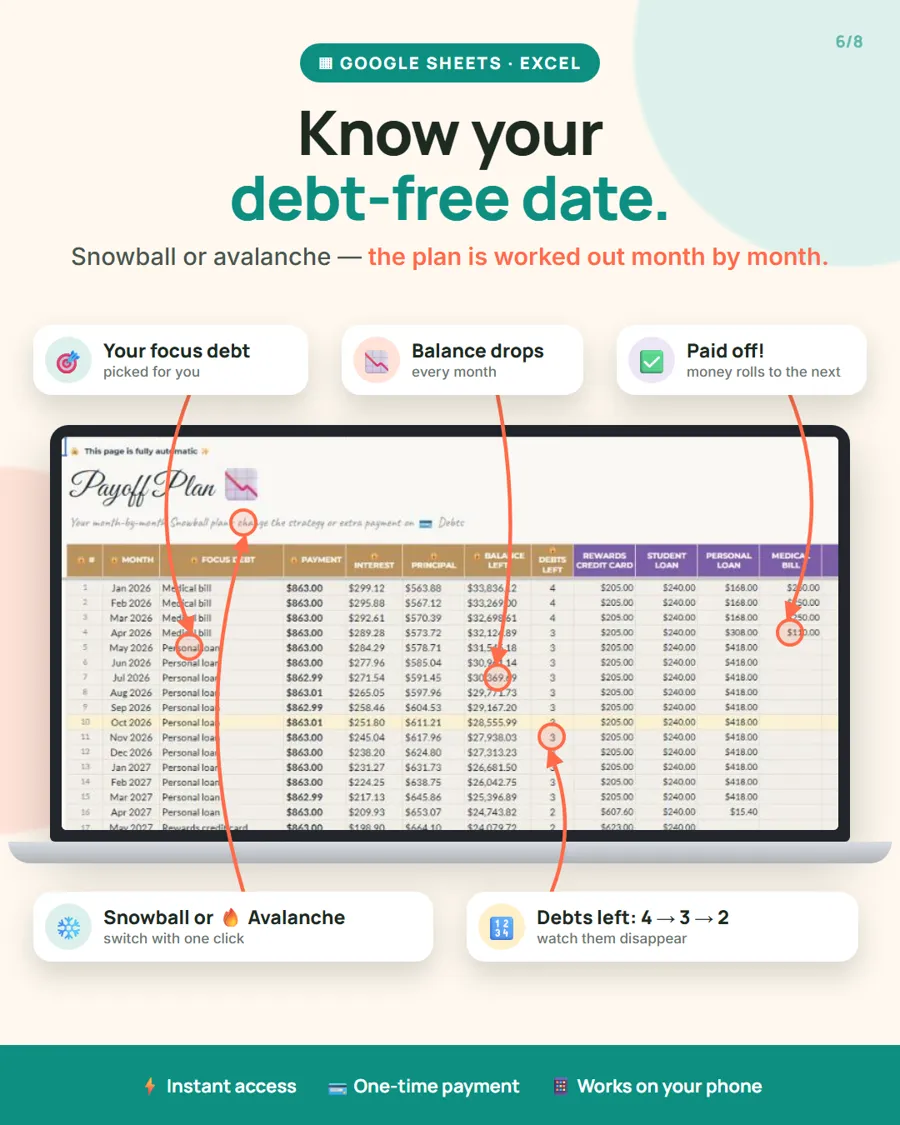
6Debt payoff plan
Add your debts and choose snowball or avalanche. The plan shows which debt to focus on every month — and your debt-free date.
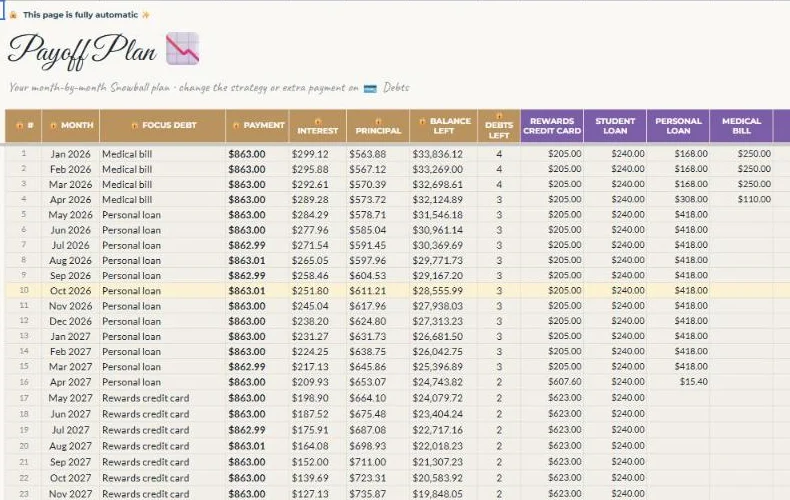
Up to 15 debtsSnowball or avalancheExtra monthly paymentDebt-free dateMonth-by-month planInterest vs principal
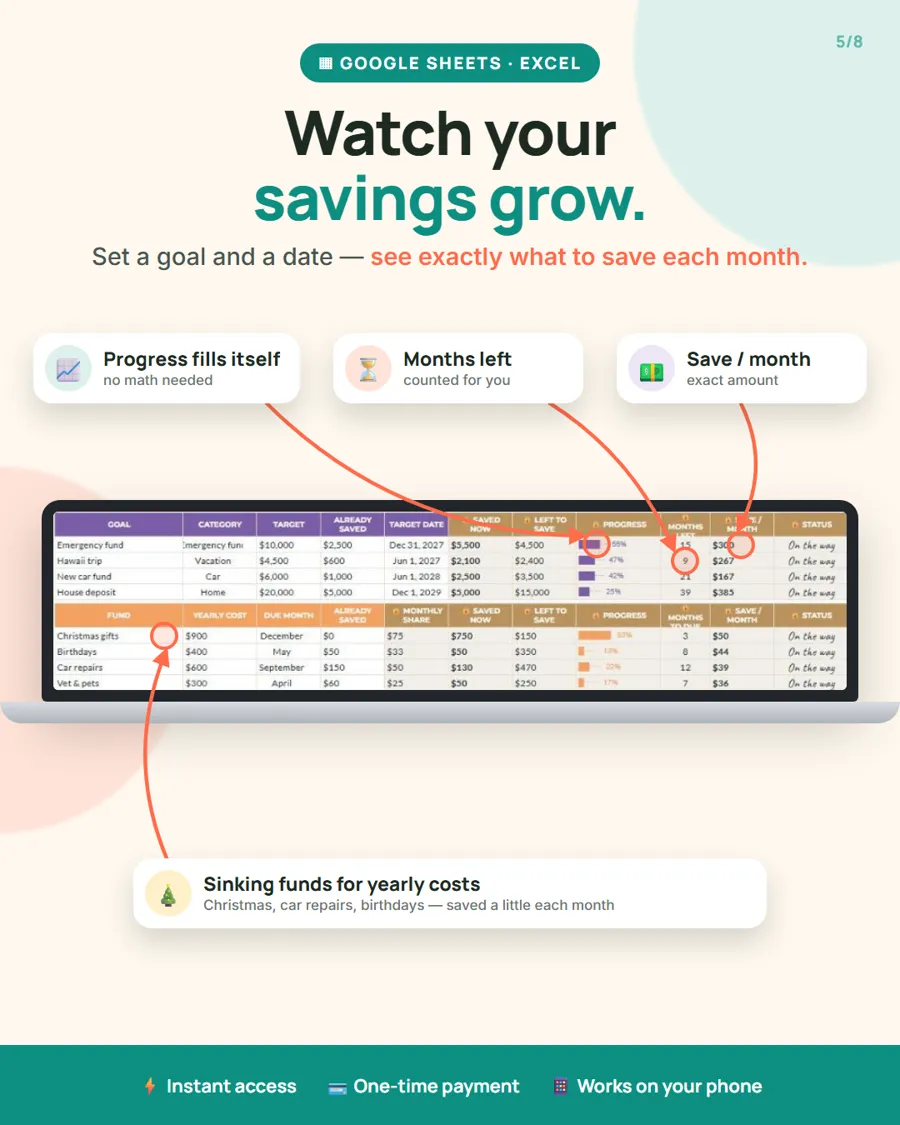
7Savings goals & sinking funds
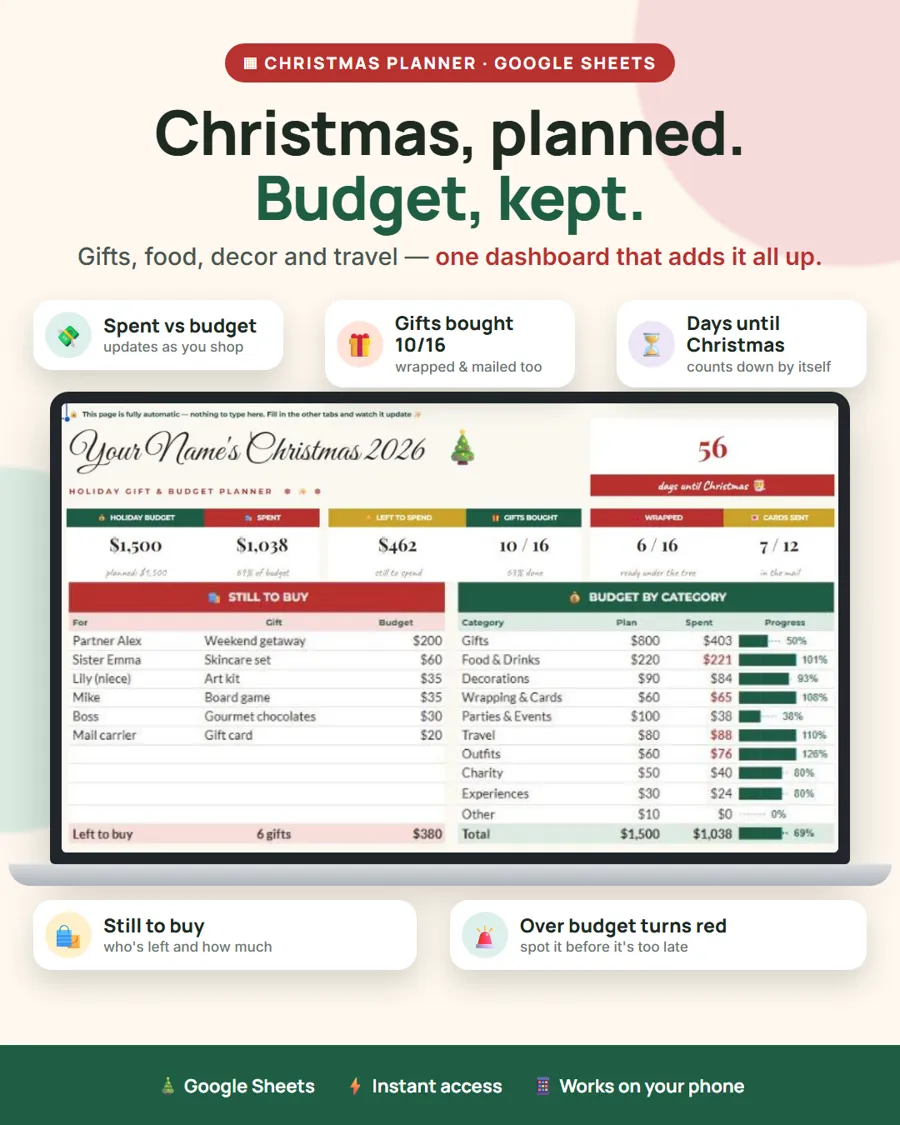
Set a target and a date. It tells you exactly how much to put aside each month — for big goals and yearly costs like Christmas.
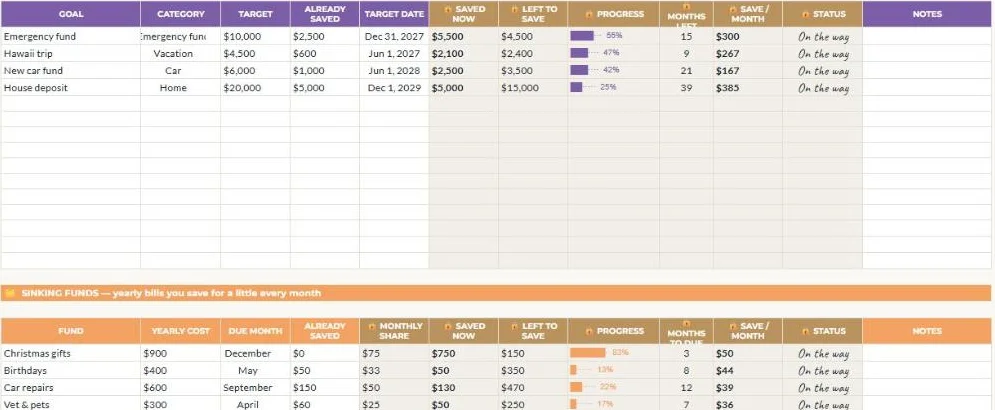
15 goals + 15 sinking fundsWhat to save each monthProgress barsMonths leftFilled from your transactions
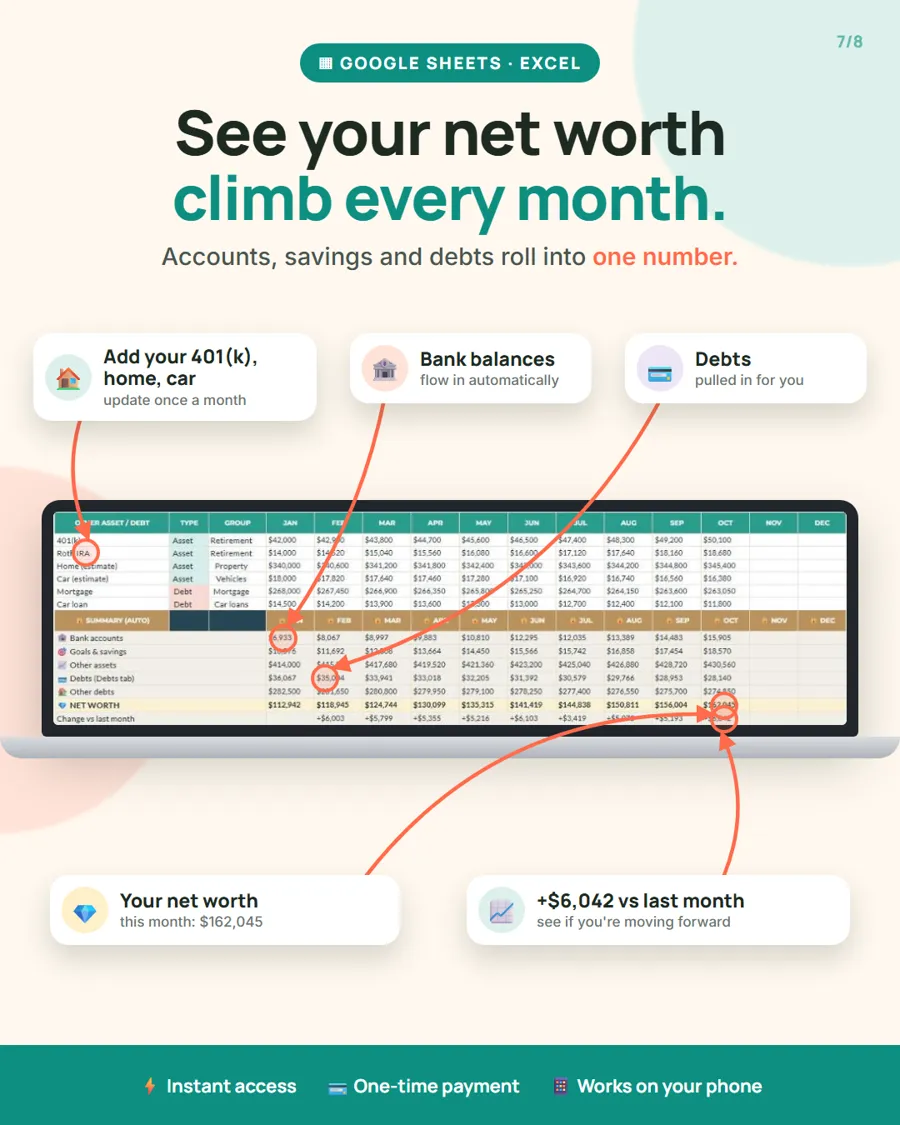
8Net worth & accounts
Bank balances and debts come in automatically. Add your 401(k), home or car once a month and watch the total climb.
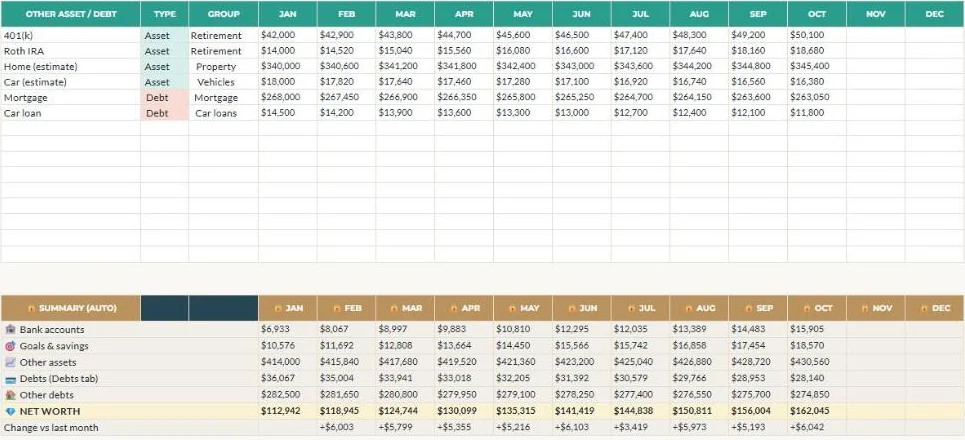
Bank balances — automaticAssets & other debtsDebts pulled inChange vs last monthNet worth chart
9No-spend & savings challenges
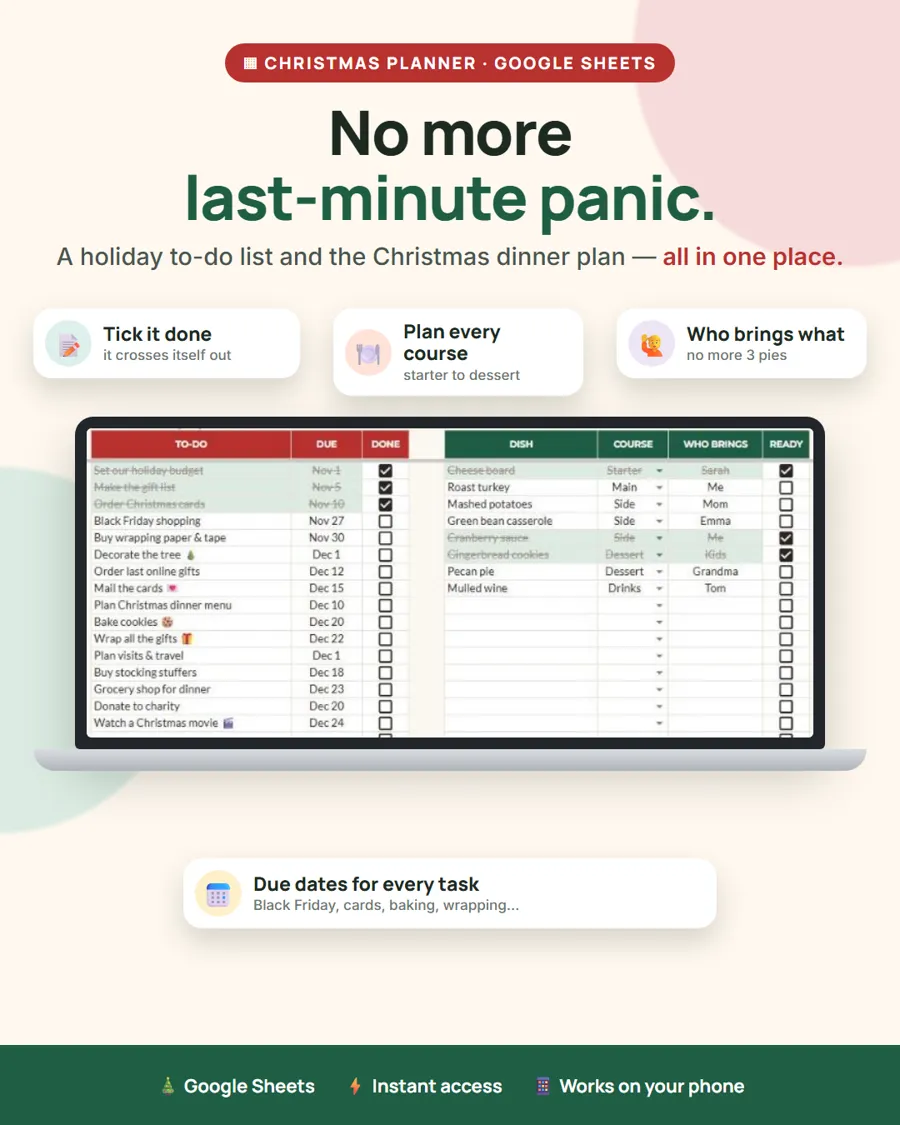
Tick every day you skip the extras, and fill the 52-week and 100-envelope challenges as you save.
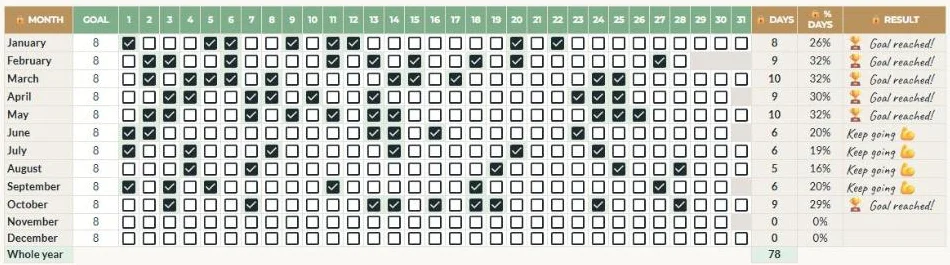
Daily tick boxesMonthly goal52-week challenge100 envelopes
10New-year rollover
When the year ends, one click gives you a fresh copy and a year-in-review — with every number to carry over listed for you.
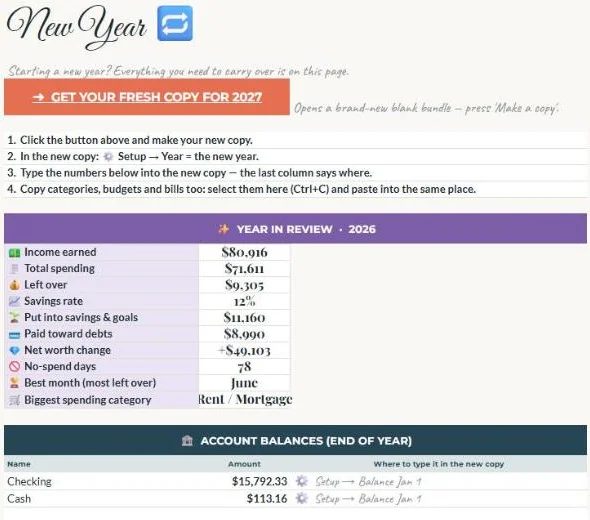
Year in reviewFresh-copy buttonNumbers to carry overReminder on the dashboard